Essential Interview Tips for Remote Job Applicants
Ace your remote job interviews with these expert tips. Prepare for virtual interviews and secure your dream role.
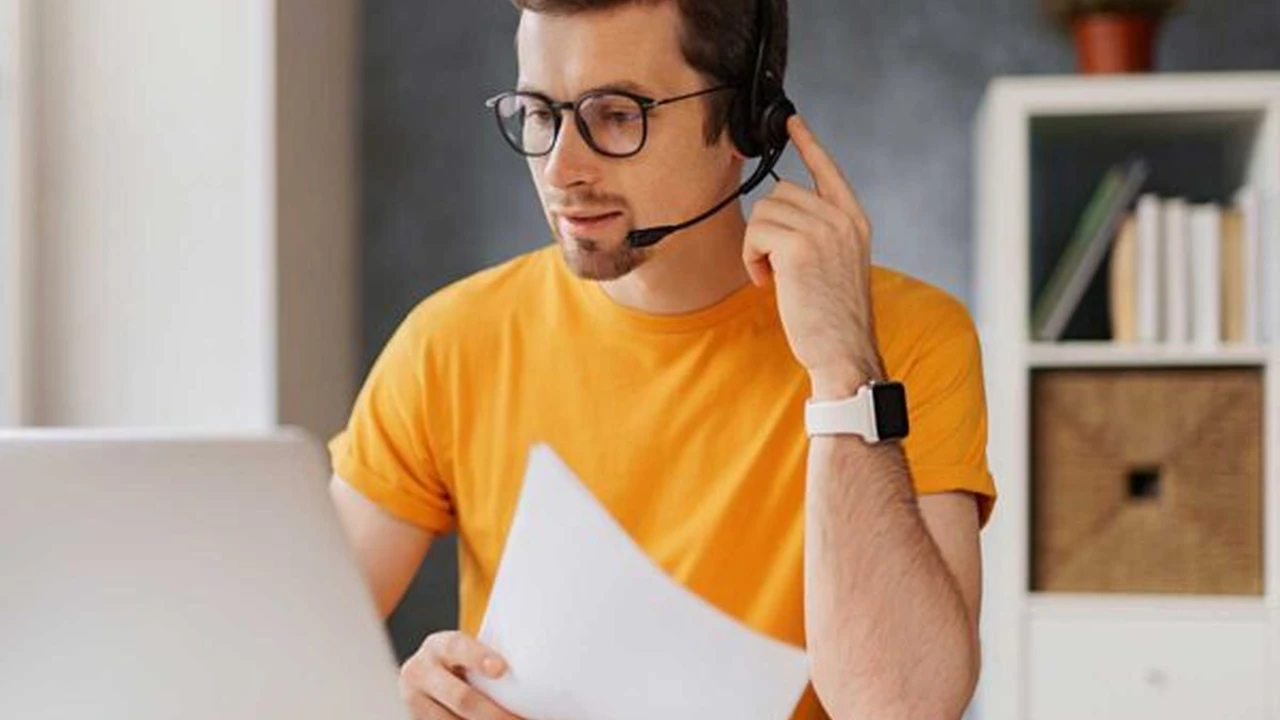
Ace your remote job interviews with these expert tips. Prepare for virtual interviews and secure your dream role.
Essential Interview Tips for Remote Job Applicants
Landing a remote job is a dream for many, offering unparalleled flexibility and the freedom to work from anywhere. But with this growing popularity comes fierce competition. To stand out from the crowd and secure your dream remote role, mastering the virtual interview is absolutely crucial. It's not just about what you say, but how you present yourself, your technical readiness, and your understanding of the unique demands of remote work. This comprehensive guide will walk you through everything you need to know, from pre-interview preparation to post-interview follow-up, ensuring you're fully equipped to impress your potential remote employer.
Pre-Interview Preparation Setting the Stage for Remote Success
Before you even log into that video call, a significant amount of preparation is needed. Think of it as setting the stage for your performance. The more meticulously you prepare, the more confident and polished you'll appear.
Researching the Company and Remote Role Understanding Your Future Employer
This might seem obvious, but for remote roles, it takes on extra importance. You need to understand not just what the company does, but also its remote work culture. Do they emphasize asynchronous communication? What tools do they use? Look for clues on their website, LinkedIn, and even Glassdoor reviews. Understand the specific responsibilities of the remote role you're applying for. How does it fit into the broader team and company goals? Be ready to articulate why your skills and experience are a perfect match for this particular remote position.
Optimizing Your Remote Interview Environment Creating a Professional Backdrop
Your physical environment speaks volumes about your professionalism. Choose a quiet, well-lit space where you won't be interrupted. A clean, uncluttered background is ideal. Avoid busy patterns or anything distracting. Natural light is always best, so position yourself facing a window if possible. If not, ensure you have good artificial lighting that illuminates your face evenly, avoiding harsh shadows.
Testing Your Tech Setup Ensuring Seamless Connectivity for Remote Interviews
Technical glitches can derail an interview faster than anything. Test your internet connection, webcam, and microphone well in advance. Do a test call with a friend or family member. Ensure your computer is fully charged or plugged in. Close unnecessary tabs and applications to free up bandwidth and prevent distractions. Have a backup plan, like a mobile hotspot or a phone number to call in, just in case your primary internet fails.
Dressing for Remote Interview Success Professional Attire Matters
Even though you're at home, dress as you would for an in-person interview. This means professional attire from the waist up. While it might be tempting to wear sweatpants, looking the part helps you feel the part, boosting your confidence. Choose solid colors over busy patterns, which can be distracting on camera.
Preparing Your Answers and Questions Anticipating Remote Interview Scenarios
Review common interview questions and tailor your answers to highlight your remote work experience and skills. Think about how you've successfully collaborated remotely, managed your time independently, and overcome challenges in a distributed environment. Prepare thoughtful questions to ask the interviewer. This shows your engagement and genuine interest in the remote role and the company's culture. Ask about their remote onboarding process, team communication strategies, and how they foster a sense of belonging among remote employees.
During the Remote Interview Making a Lasting Impression Virtually
The interview itself is your moment to shine. Focus on clear communication, active listening, and projecting confidence.
Mastering Virtual Communication Body Language and Eye Contact for Remote Roles
In a virtual setting, body language is still important, but it's interpreted differently. Sit up straight, maintain good posture, and try to make eye contact by looking directly into your webcam, not at your screen. This creates a more personal connection. Nod occasionally to show you're listening. Avoid fidgeting or looking away, which can signal disinterest.
Clear and Concise Responses Articulating Your Remote Experience
Answer questions clearly and concisely. Avoid rambling. Use the STAR method (Situation, Task, Action, Result) to structure your answers to behavioral questions, especially when discussing past remote work experiences. Highlight specific examples of how you've excelled in a remote setting, such as managing projects asynchronously, collaborating across time zones, or proactively communicating with team members.
Demonstrating Remote Work Skills Highlighting Independence and Proactiveness
Beyond your technical skills, interviewers for remote roles are looking for specific traits. Emphasize your ability to work independently, manage your time effectively, and be self-motivated. Discuss how you stay organized, meet deadlines without direct supervision, and proactively seek solutions. Highlight your communication skills, especially written communication, as this is often paramount in remote teams.
Handling Technical Glitches Gracefully Troubleshooting Remote Interview Issues
Even with the best preparation, technical issues can arise. If your internet cuts out or your audio becomes choppy, remain calm. Apologize briefly, explain the situation, and suggest a quick solution (e.g., restarting your router, switching to phone audio). Having a backup plan in place will make this process smoother. Your ability to handle unexpected challenges gracefully demonstrates your problem-solving skills and resilience.
Asking Thoughtful Questions Engaging with Your Remote Interviewer
When it's your turn to ask questions, make them count. Go beyond generic inquiries. Ask about the team's communication cadence, how feedback is given in a remote environment, opportunities for professional development, or how the company fosters a sense of community among its distributed workforce. This shows you've thought deeply about what it means to work remotely for them.
Post-Interview Follow-Up Reinforcing Your Remote Candidacy
The interview isn't over until you've sent a thank-you note. This final step can significantly impact the hiring decision.
Sending a Timely Thank You Note Expressing Gratitude for the Remote Opportunity
Send a personalized thank-you email within 24 hours of your interview. Reiterate your interest in the remote role and the company. Mention specific points from your conversation to show you were attentive and engaged. This reinforces your professionalism and enthusiasm.
Reiterating Your Remote Fit Highlighting Key Strengths
In your thank-you note, briefly remind the interviewer why you're an excellent fit for the remote position. Connect your skills and experience directly to the company's needs and the demands of remote work. For example, you might say, “I was particularly excited to learn about your asynchronous communication tools, as I have extensive experience leveraging similar platforms to ensure seamless collaboration across distributed teams.”
Following Up Professionally Maintaining Communication for Remote Roles
If you haven't heard back within the timeframe they provided, a polite follow-up email is appropriate. Keep it concise and professional. Reiterate your interest and ask if there's any additional information you can provide. Avoid being overly persistent, as this can be counterproductive.
Recommended Tools for Remote Interview Success Enhancing Your Virtual Presence
Having the right tools can make a significant difference in your remote interview performance. Here are some recommendations, along with their use cases, comparisons, and approximate pricing.
Webcams for Crystal Clear Video Professional Visuals for Remote Interviews
A good webcam is essential for projecting a professional image. While built-in laptop cameras are okay, an external webcam often offers superior image quality, better low-light performance, and wider fields of view.
-
Logitech C920s Pro HD Webcam
- Use Case: Excellent all-rounder for general remote interviews, streaming, and video calls. Offers 1080p resolution at 30fps, autofocus, and automatic light correction.
- Comparison: A significant upgrade from most built-in laptop cameras. Offers better image quality and reliability than cheaper generic webcams.
- Price: Approximately $60-$80 USD.
-
Razer Kiyo Pro
- Use Case: For those who want superior low-light performance and a wider field of view. Great for interviews in less-than-ideal lighting conditions. Offers 1080p at 60fps and an adaptive light sensor.
- Comparison: Higher-end than the C920s, with better performance in challenging lighting. More geared towards streamers but excellent for professional use.
- Price: Approximately $100-$150 USD.
-
Logitech StreamCam
- Use Case: Offers 1080p at 60fps, facial tracking, and auto-focus. Can be mounted vertically, which is useful for certain content creation but also provides a very crisp image for interviews.
- Comparison: Similar to the Kiyo Pro in terms of frame rate and resolution, but with a slightly different feature set focused on content creation.
- Price: Approximately $100-$130 USD.
Microphones for Pristine Audio Clarity in Remote Conversations
Clear audio is arguably more important than video. A good microphone ensures your voice is heard without distortion or background noise.
-
Blue Yeti USB Microphone
- Use Case: A popular choice for its versatility and excellent sound quality. Great for interviews, podcasts, and voiceovers. Offers multiple polar patterns (cardioid, bidirectional, omnidirectional, stereo).
- Comparison: Far superior to built-in laptop microphones. Offers studio-quality sound at an accessible price point.
- Price: Approximately $90-$130 USD.
-
Rode NT-USB Mini
- Use Case: Compact, high-quality USB microphone perfect for a minimalist setup. Delivers clear, professional-sounding audio.
- Comparison: Smaller footprint than the Yeti, making it more portable for digital nomads. Excellent sound for its size.
- Price: Approximately $80-$100 USD.
-
HyperX QuadCast S
- Use Case: While often marketed to gamers, its excellent sound quality and multiple polar patterns make it a strong contender for professional remote interviews. Features a built-in pop filter and anti-vibration shock mount.
- Comparison: Offers similar versatility to the Blue Yeti but with a more modern design and additional features like customizable RGB lighting (which you can turn off for interviews!).
- Price: Approximately $120-$160 USD.
Headphones for Focused Remote Interview Experiences
Headphones help you hear the interviewer clearly and prevent your microphone from picking up echo or feedback.
-
Sony WH-1000XM5 (Noise-Cancelling)
- Use Case: Premium noise-cancelling headphones. Ideal for interviews in noisy environments (e.g., co-working spaces, cafes, or busy homes). Excellent sound quality for both listening and speaking.
- Comparison: Top-tier noise cancellation, often compared to Bose QC series. Provides an immersive and distraction-free audio experience.
- Price: Approximately $350-$400 USD.
-
Anker Soundcore Life Q30 (Budget Noise-Cancelling)
- Use Case: A more affordable option for noise cancellation. Great for reducing ambient noise during interviews without breaking the bank.
- Comparison: Offers surprisingly good noise cancellation for its price point, though not quite on par with Sony or Bose.
- Price: Approximately $70-$90 USD.
-
Apple AirPods Pro 2 (In-Ear Noise-Cancelling)
- Use Case: For those who prefer in-ear headphones. Excellent noise cancellation and transparency mode. Very discreet for interviews.
- Comparison: Best-in-class for in-ear noise cancellation, especially for Apple users. Offers a more subtle look than over-ear headphones.
- Price: Approximately $200-$250 USD.
Lighting Kits for Optimal Visual Presentation Illuminating Your Remote Presence
Good lighting can dramatically improve your video quality, making you look more professional and engaged.
-
Neewer 2-Pack Dimmable 5600K USB LED Video Light with Tripod
- Use Case: Affordable and portable lighting solution. Provides soft, even light to eliminate shadows and brighten your face. USB powered, so great for travel.
- Comparison: Much better than relying solely on overhead room lighting. Offers adjustable brightness.
- Price: Approximately $30-$50 USD for a pack of two.
-
Elgato Key Light Air
- Use Case: Premium desktop lighting for a professional setup. Offers powerful, adjustable, and flicker-free illumination. Controlled via software.
- Comparison: A significant step up in quality and control from basic ring lights. Ideal for those who do a lot of video calls.
- Price: Approximately $130-$150 USD per light.
-
Ring Light with Tripod Stand and Phone Holder
- Use Case: A popular and effective solution for even lighting. Many come with adjustable brightness and color temperature. Good for both webcam and phone interviews.
- Comparison: Provides a flattering, shadow-reducing light. More affordable than dedicated panel lights.
- Price: Approximately $20-$40 USD.
Final Thoughts on Acing Your Remote Interview Your Path to Digital Nomad Success
Securing a remote job is an exciting step towards a digital nomad lifestyle. By meticulously preparing, presenting yourself professionally, and demonstrating your unique suitability for remote work, you significantly increase your chances of success. Remember, every virtual interaction is an opportunity to showcase your independence, communication skills, and adaptability – qualities highly valued in the remote workforce. Good luck, and may your next remote interview open the door to your dream career!
:max_bytes(150000):strip_icc()/277019-baked-pork-chops-with-cream-of-mushroom-soup-DDMFS-beauty-4x3-BG-7505-5762b731cf30447d9cbbbbbf387beafa.jpg)